An existing warehouse system. A different way to put it in someone’s hands.
Working proof of conceptAndroid · Intents · WMS integration · ProGlove MAI
Problem
Bring terminal-based warehouse picking to a back-of-hand device.
My part
Architected the Android bridge and its Intent-based device communication.
Outcome
A working proof of concept showing orders, picking prompts and error feedback.
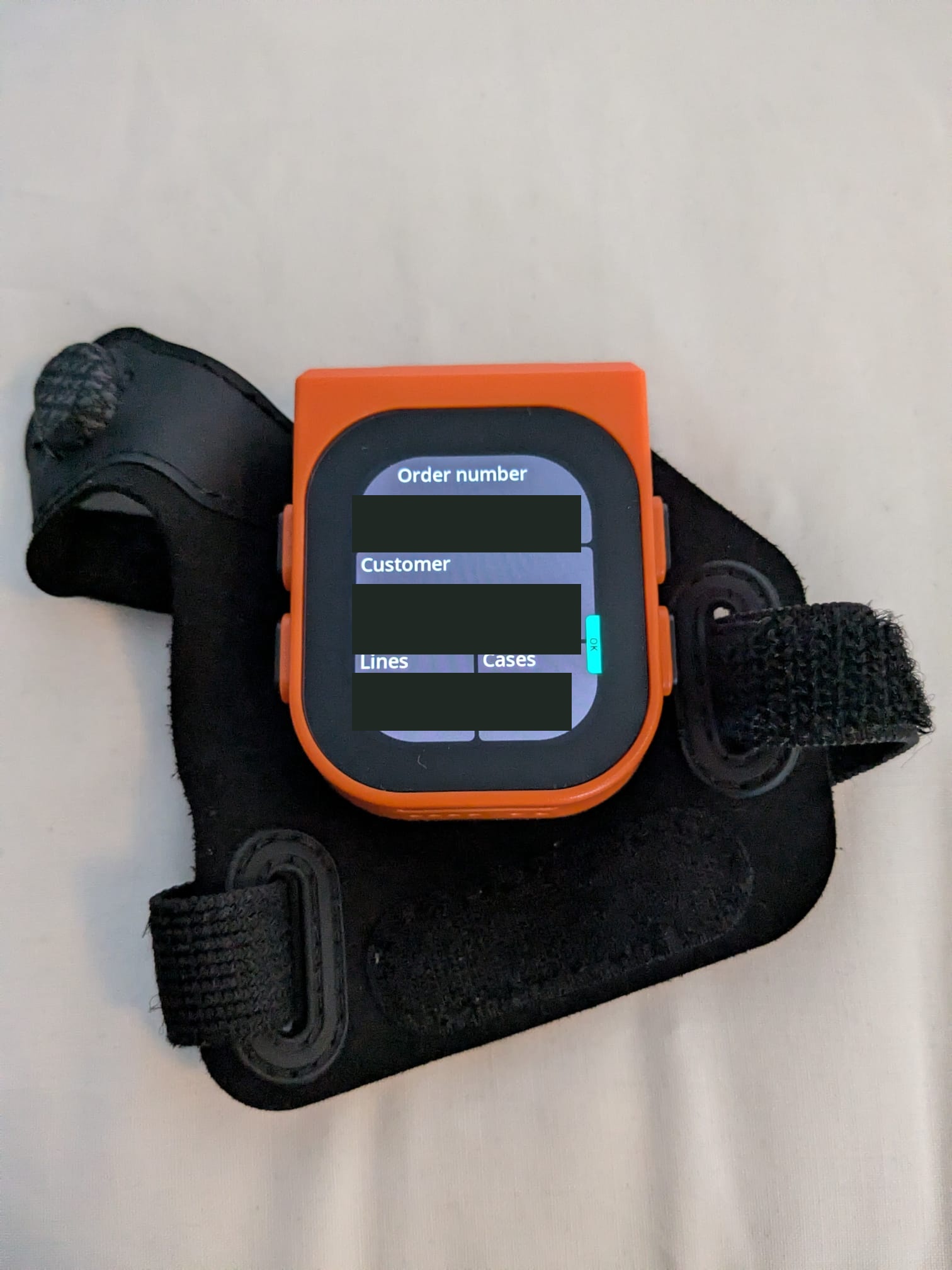
Order summary on the physical MAI device. These are supplied photographs of the integration, not interface mockups. Order, customer and quantity values have been redacted.
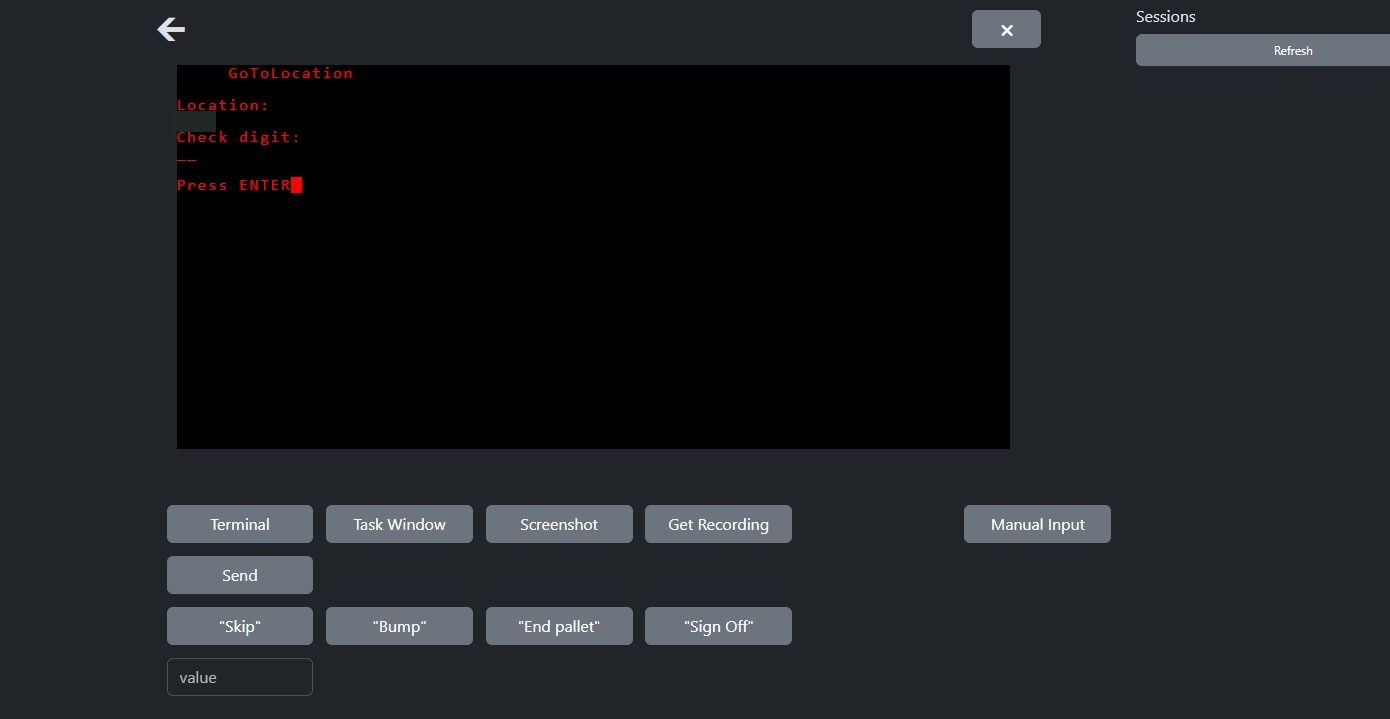
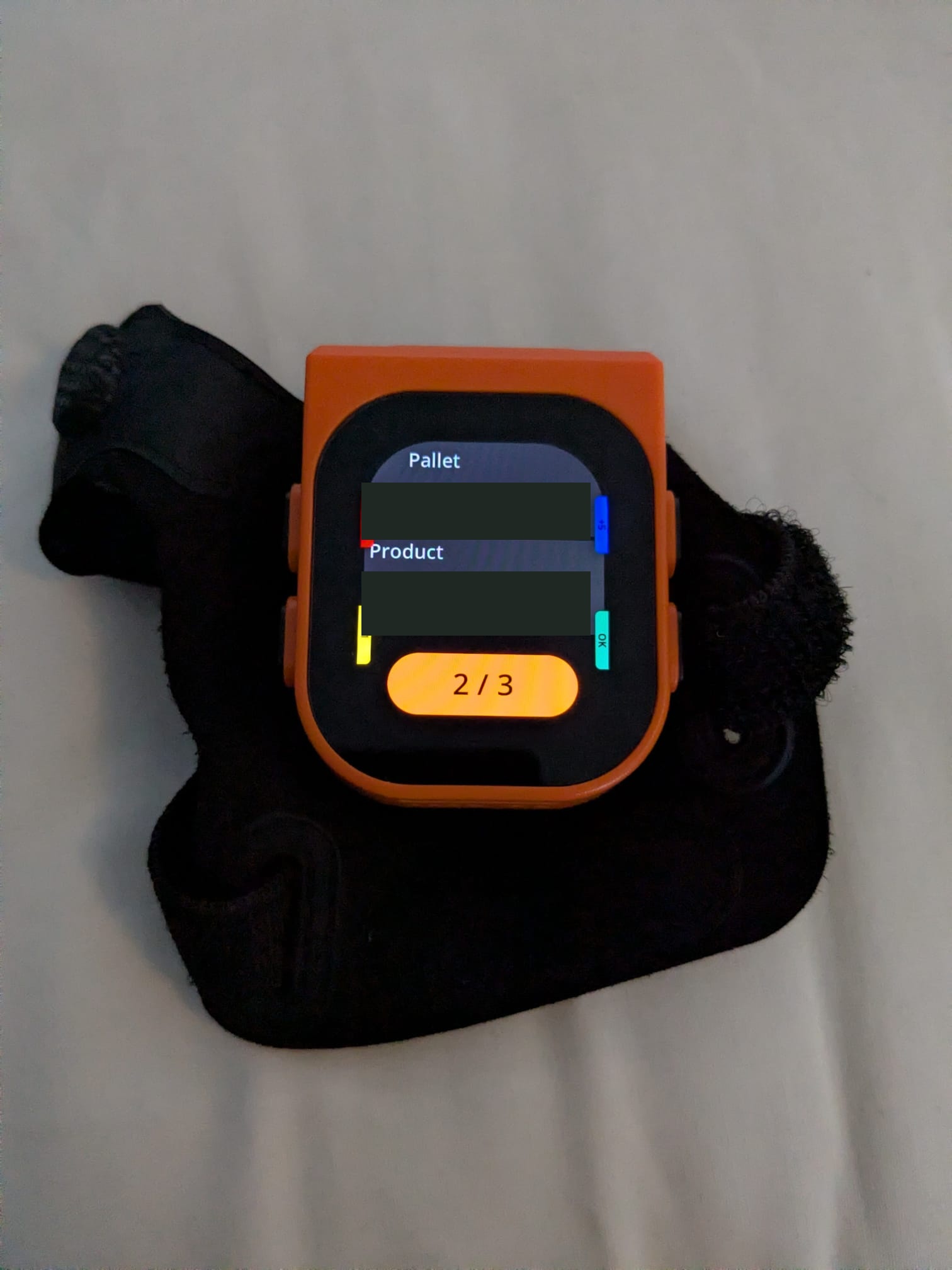
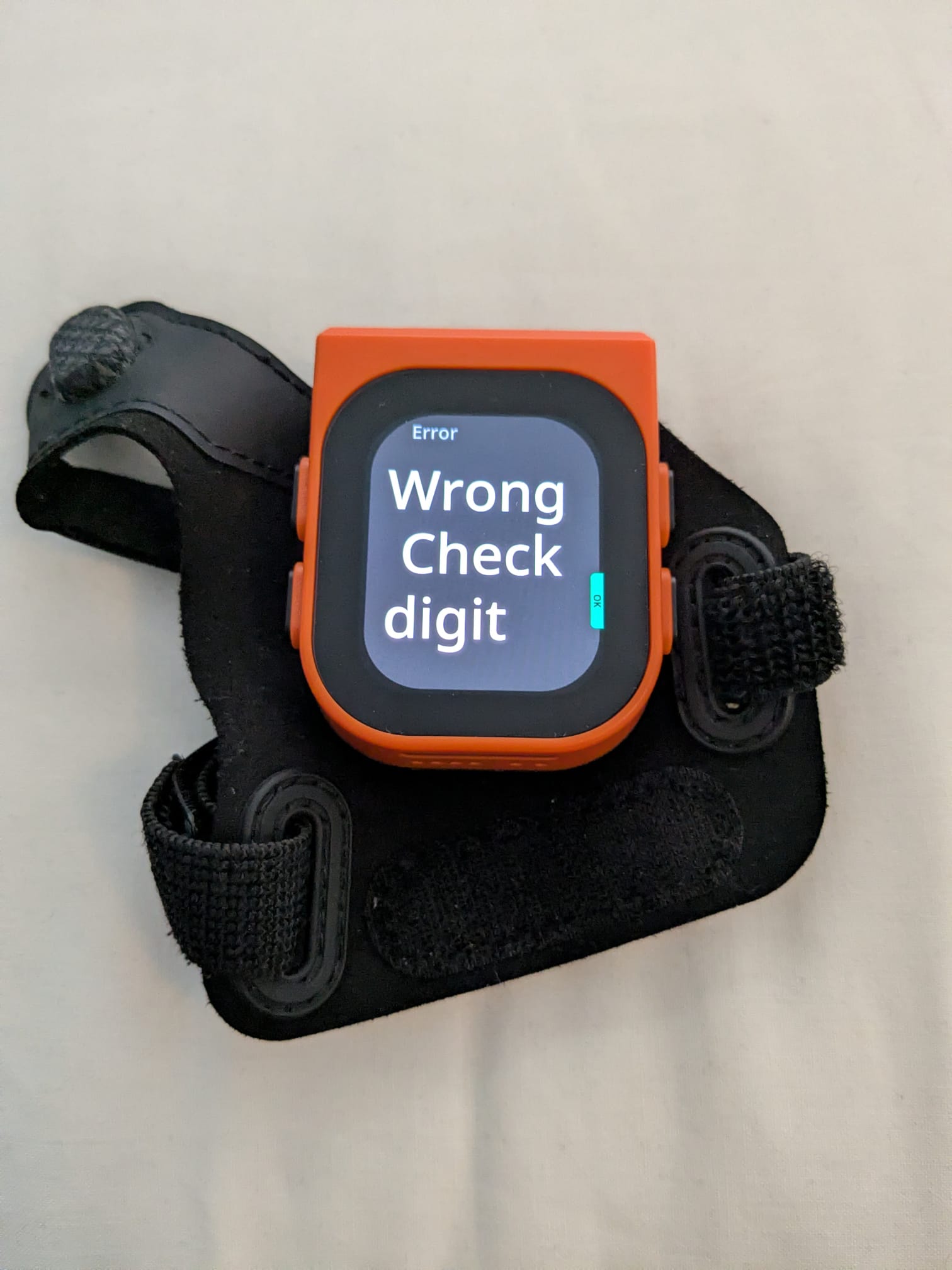
The terminal-side workflow translated for the wearable. Location details are redacted. These screens show related workflow examples, not a synchronised capture of the same transaction.Picking: pallet, product and progress on the hand-mounted display. Pallet and product identifiers have been redacted.Feedback: the device also displays a check-digit error, not just the happy path.
The integration boundary · Explanatory diagram
Existing WMSTerminal-style warehouse workflow.
Teremware + Android bridgeTranslate the workflow and communicate through Android Intents.
MAI devicePresent picking information and carry device interaction back into the flow.
Context and scope
Warehouse systems can retain terminal-style workflows while operators use newer devices. The integration problem is to carry the meaning of those workflows onto a small back-of-hand display without treating the display as a miniature terminal.
I architected the Android bridge and its Intent-based communication with the ProGlove MAI device. The work sat between an existing Teremware workflow and a different operator interface. It did not replace the warehouse management system or constitute a production rollout.
What I owned
Teremware translates an older terminal-style warehouse system into modern picking workflows. The next requirement was back-of-hand picking rather than only voice interaction.
I architected the Android application that connected this workflow to the hand scanner through Intents. That meant working within an existing system while designing the new device-facing integration.
The useful part is the translation
The operator needs a clear next action, not an entire terminal screen squeezed onto a small display. The photographs show three concrete states: an order overview, pallet/product picking information and a check-digit error.
The bridge brings those workflow states to the wearable. The device and warehouse system remain distinct components; my contribution was the Android integration architecture.
What the photographs establish
The proof of concept reached physical hardware. The visible error state is particularly useful evidence: feedback from the workflow can reach the operator on the device.
The next step beyond this proof of concept is validating the wider production integration and its failure handling.
Engineering decisions and trade-offs
The following decisions connect the implementation to its practical constraints. Each separates what I changed from what still needs verification.
Use an integration boundary rather than replace the WMS
Constraint
The existing system remained responsible for the warehouse workflow.
My approach
I designed the Android application connecting that workflow to the wearable through Intents.
Implication
The device-facing integration could be developed within the established system. End-to-end behaviour still depends on both sides of that boundary.
Present task information appropriate to the device
Constraint
A terminal screen contains more than an operator needs to see on a small wearable at once.
My approach
The proof of concept presented order summaries, pallet/product prompts and progress states.
Implication
The photographs demonstrate distinct task views. They do not, by themselves, establish usability improvements or faster picking.
Include error feedback in the proof of concept
Constraint
A useful workflow must communicate a rejected input as well as the expected next step.
My approach
The integration displayed a check-digit error on the physical device.
Implication
This is evidence that error feedback reached the wearable, not proof that every error and recovery path was covered.
Evidence and limits
Different evidence answers different questions. This record distinguishes a visible demonstration, implementation history and validated operational outcomes.
Three physical-device photographs
What it supports: Show an order overview, a picking prompt and a check-digit error on the MAI.
What it does not establish: Identifiers are masked. The images establish visible states, not transaction-level traceability or a performance result.
Teremware console screenshot
What it supports: Shows the terminal-side location/check-digit workflow that provides context for the integration.
What it does not establish: The console and wearable images are related examples, not a synchronised capture of one transaction.
Implementation account
What it supports: Supports my responsibility for Android integration architecture and Intent-based communication.
What it does not establish: Commercial source remains private; production rollout and full failure-path validation are not claimed.
Lessons and next acceptance checks
The value of the proof of concept is that the integration reached physical hardware and presented both task information and error feedback. That is a concrete result without needing to invent a time-saving percentage.
The next acceptance work would validate longer sessions, interruptions, invalid input and recovery across the full integration. The current photographs cannot answer those questions, so I do not present them as doing so.